
Newsletters & Publications
Write and send a research newsletter from inside Sigmo, with live charts, data tables and figures embedded, an archive your readers can browse, and share previews that look right everywhere.
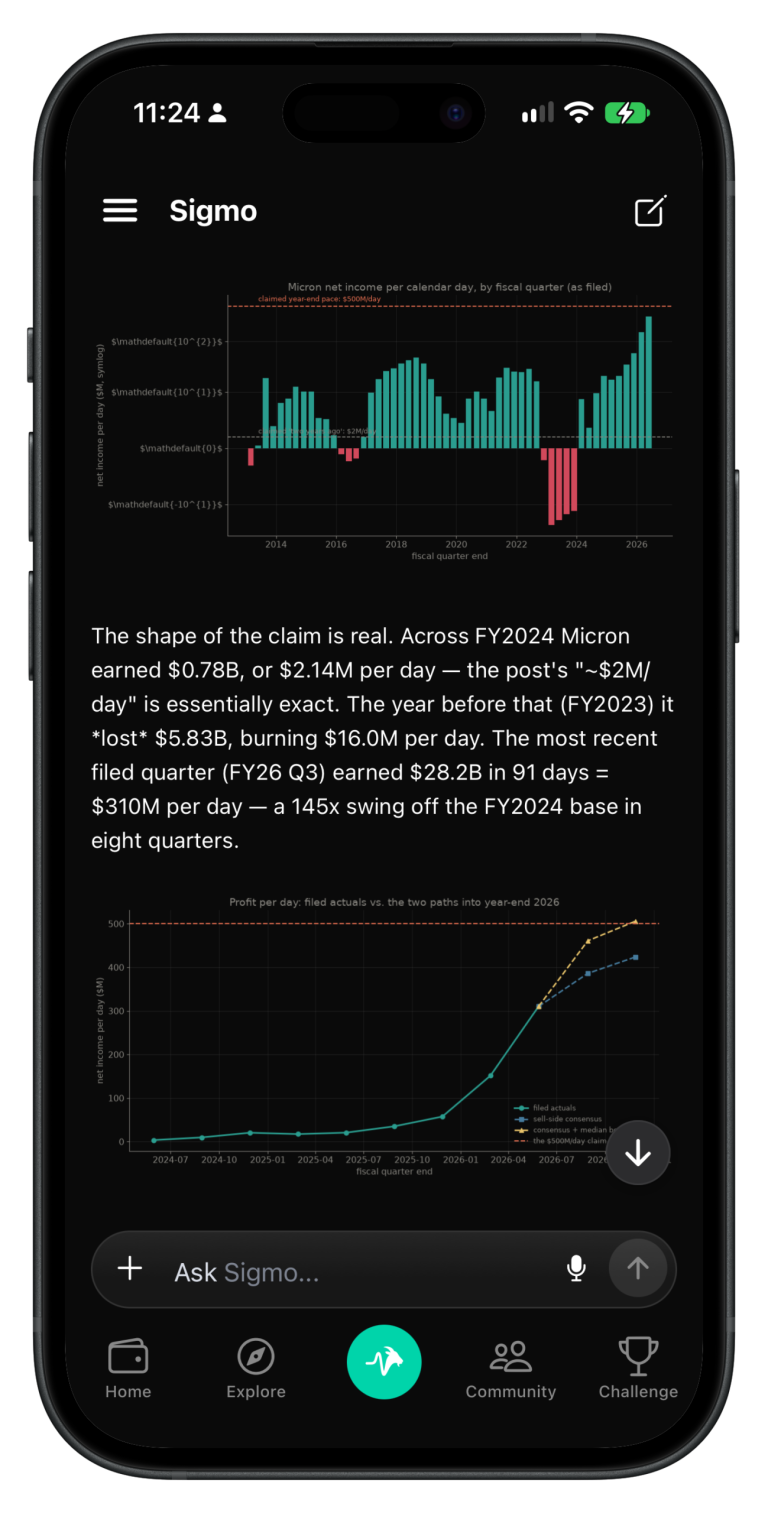
Most newsletter tools give you a text box. Sigmo's Press gives you the research platform: the chart you are looking at, the table the assistant just built and the figure from your notebook drop straight into the issue, and stay live when the reader opens it.
Compose with the data in the room
- Charts and widgets, embedded. Any chart layout, watchlist table, screener result or notebook figure becomes a block in the issue.
- Draft with the assistant. Ask for the market summary, the earnings recap or the sector table and edit what comes back.
- Editorial pipeline. Draft, review, schedule and send from one place, with a history of every issue.
- Section refinement. Rewrite one section without touching the rest.
Publish where people read
Issues live at your publication's own page with a browsable archive, are listed on sigmo.us/research where search engines can read them in full, are sent by email to subscribers, and render as cards with the right image when shared on X, LinkedIn or in a chat.
Your track record, attached
Link your publication to your Sigmo track record so readers can see the calls behind the writing, with signals that are append-only and dated when they were made.
From newsletter to research feed
Published issues appear in Community Research next to shared studies, which is how new readers find a publication.
See it on your own watchlist
Sigmo is free to start. Open the app, ask one question about a ticker you follow, and take it from there.